Blog

Category Archives: Guides & How To’s

How to Use a Domain with your VPS (The Easy Way)

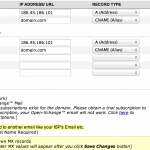
When setting up a new VPS, one of the most common tasks is to link a domain name. The process is roughly the same as with a shared hosting account, although a VPS may or may not come with ready-made nameservers available. Often, you will need to configure your own nameservers on a VPS. To […]
Also posted in Featured Guides, Guides & How To's, Linux VPS, Tech Support, VPS Hosting | Tagged , , , | Comments closed

Can I order a Free VPS Trial?

Yes. Depending on availability, Free VPS Trials are available for both Linux VPS and Windows VPS services. Please contact us for more information!

Also posted in About SolVPS, VPS Hosting | Tagged , , , , | Comments closed

What is RAM (Memory)? What is it used for?

RAM, or Random Access Memory, is a core component of computer systems that is used to store currently-running applications and other data not yet committed to the disk. It is fair to say that the amount of system RAM directly affects system performance. With more RAM, a VPS has more ability to perform without restrictions and […]

Also posted in Guides & How To's, Linux VPS, Tech Support, VPS Hosting, Windows Server | Tagged , , , | Comments closed

CentOS 7.0 and 5 New Linux VPS Builds

Earlier this week CentOS, our favorite Linux distribution, released testing build of version 7.0. We have made CentOS 7.0 available for all of our Linux VPS instances. The new CentOS 7.0 Testing release is selectable from the Reinstall section of the VPS Panel, and can also be selected for setup of new instances (we don’t recommend choosing CentOS […]

Also posted in Announcements, Company News, Guides & How To's, Linux VPS, VPS Hosting | Tagged , , , , | Comments closed

What kind of virtualization does SolVPS use?

SolVPS utilizes Xen virtualization for both Linux VPS and Windows VPS instances. We use a combination of Xen Paravirtualized and Xen Hardware-virtualized solutions, typically Paravirtualized (PV) for Linux VPS instances and Hardware-virtualized (HVM) for Windows VPS instances. It is our experience that Xen offers the best combination of performance, stability, and security for VM instance hosting, and […]

Also posted in About SolVPS, Guides & How To's, Linux VPS, VPS Hosting | Tagged , , , , | Comments closed

How to Log in to cPanel/WHM VPS

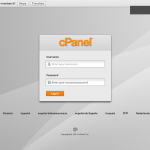
If you chose to install cPanel/WHM on your VPS, you can log in to the WHM control panel interface immediately after VPS setup at: URL: https://x.x.x.x:2087 Username: root Password: [Root password of your VPS.] You should replace “x.x.x.x” in the above example with the primary IP address of your VPS.

Also posted in Guides & How To's, Linux VPS, Tech Support, VPS Hosting | Tagged , , , , | Comments closed

The identity of the remote computer cannot be verified. Do you want to connect anyway?

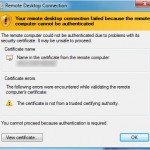
You may receive a warning like the following when connecting to your Windows VPS. The error will be similar in Mac OS X, as well:It’s OK to connect. You can click “Yes” and continue to connect to the remote desktop.Note: Your VPS “cannot be verified” because the security certificate used by the VPS is self-generated […]

Also posted in Guides & How To's, Tech Support, VPS Hosting, Windows Server, Windows VPS | Tagged , , , , , | Comments closed

How to Reinstall a VPS Instance (Linux/Windows)

Usually, a VPS needs to be reinstalled from a management interface. It’s easy to reinstall a VPS from the SolVPS Panel: Log in to the VPS Panel at: https://panel.solvps.com/ Select your VPS from the list. Click the Reinstall button. Select an Operating System from the list. There are several options available for reinstalling a VPS. Choose from CentOS […]

Also posted in Linux VPS, Tech Support, VPS Hosting, Windows Server | Tagged , , | Comments closed

How to Reboot a Linux VPS (CentOS, Ubuntu)

If you only need to reboot the operating system of your Linux VPS, it can usually be accomplished with the shutdown command. Try “shutdown -r now” to reboot your VPS. If you have a VPS with us, or you have access to your VPS management panel, you can issue a full hardware reboot. This kind of reboot […]

Also posted in Linux VPS, Tech Support, VPS Hosting | Tagged , , | Comments closed

How to Transfer Files to VPS with SFTP (Windows,OS X,Linux)

Another way to connect to a Linux VPS is with SFTP, or FTP-over-SSH, not to be confused with FTPS. Because SFTP makes use of a graphical interface for viewing folders and folder trees, it is well-suited to transferring files to and from Linux VPS servers, without the need to install additional software like FTP. Executing […]

Also posted in Linux VPS, Tech Support, VPS Hosting, Windows Server | Tagged , , , , | Comments closed


Questions? We're here to help.